
Select process symbols
Choose from the in-workbook activity, decision, system, support and connector icons.
An Excel tool for building visual RACI process diagrams. Rather than manually positioning every activity symbol and connector, VBA routines help insert and center role markers, join symbols with arrows, and generate a complete process layout.
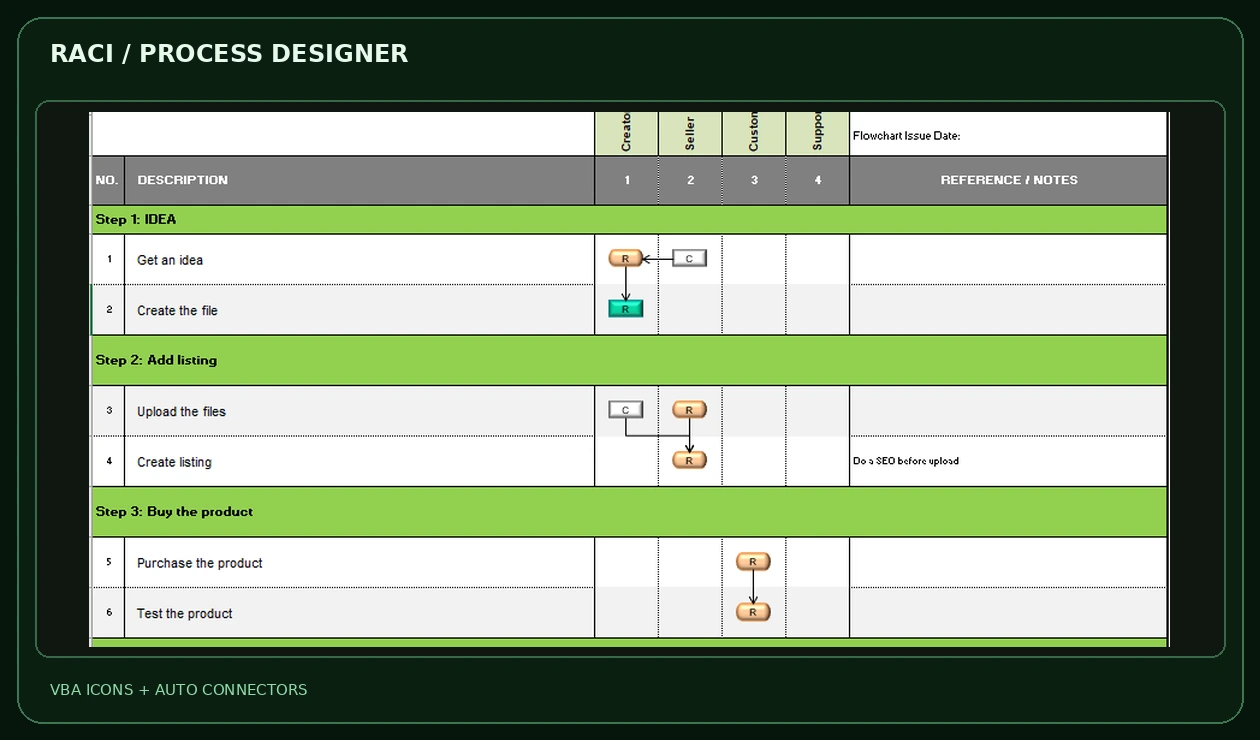
The workbook’s process icon palette and VBA controls are the differentiator—not merely the presence of RACI columns.
Choose from the in-workbook activity, decision, system, support and connector icons.
Insert the selected shape into the relevant process cell, with automated placement instead of manual pixel-by-pixel work.
Position R, A, C or I letters in the role matrix, centered inside activity symbols as designed.
VBA routines create arrow connectors between process shapes and support building a finished worksheet.
The image below comes from the supplied completed process example. Client-specific titles are anonymized; the activity symbols and arrows are untouched.
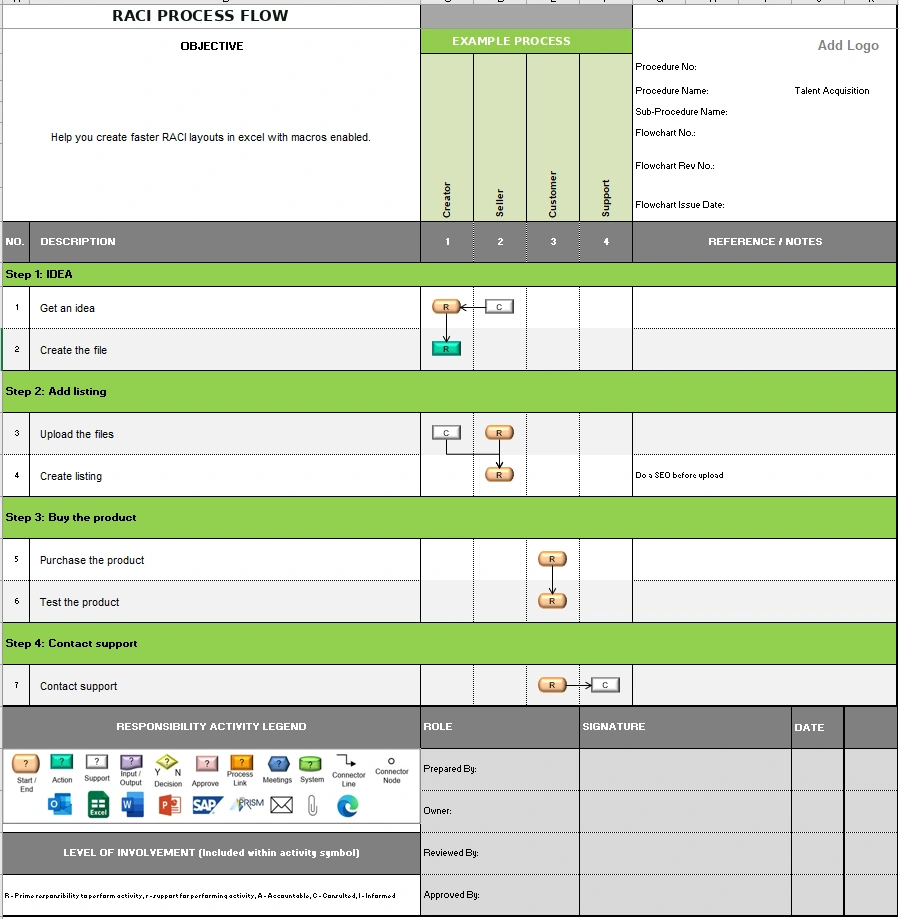
The original worksheet shows step-by-step phases, role columns, connected action symbols and a process legend within an exported-style layout.
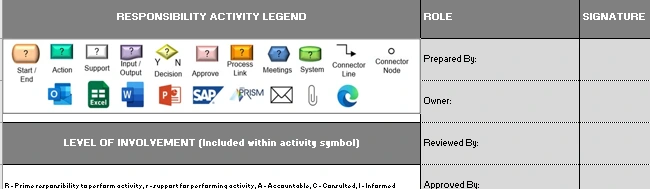
These activity symbols are part of the actual Excel interface. Macro handlers place icons and shape connectors rather than relying on copied screenshots.
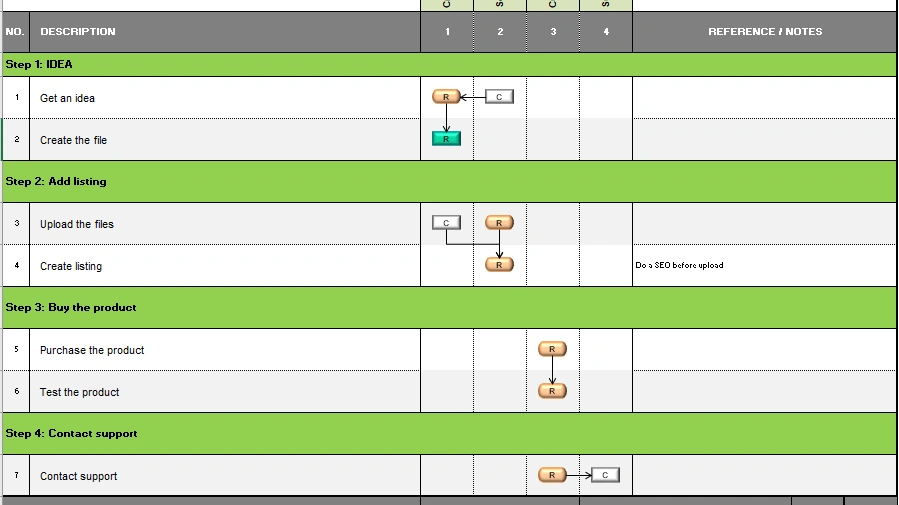
The role grid uses visual symbols and connectors to communicate the process sequence and assigned responsibility.
Managers can follow the sequence of activities, see who is responsible or consulted, and identify handoffs without reading a separate process document.
Role columns, task phases and the involvement legend can be configured to fit the client’s workflow.
Icon insertion, centering and connector routines reduce repeated diagram-assembly work.
A combined worksheet communicates the process steps, ownership, decisions and responsibility assignments.
Feature descriptions are grounded in the supplied XLSM VBA source, but the macros were not executed during this website build. The displayed RACI example is the uploaded worksheet screenshot, with the client-specific header anonymized; no new shapes or role relationships were invented.
Share the current workflow, expected outputs and what takes the most time. I’ll help scope an Excel-first solution.
Start a project inquiry ↗