
Manage client records
Browse customer information, including contact fields, company details and sales-related records.
One client project comprising three related Excel workbooks: a VBA-enabled contact register and customer database, an annual sales activity tracker, and a campaign-target calculator.
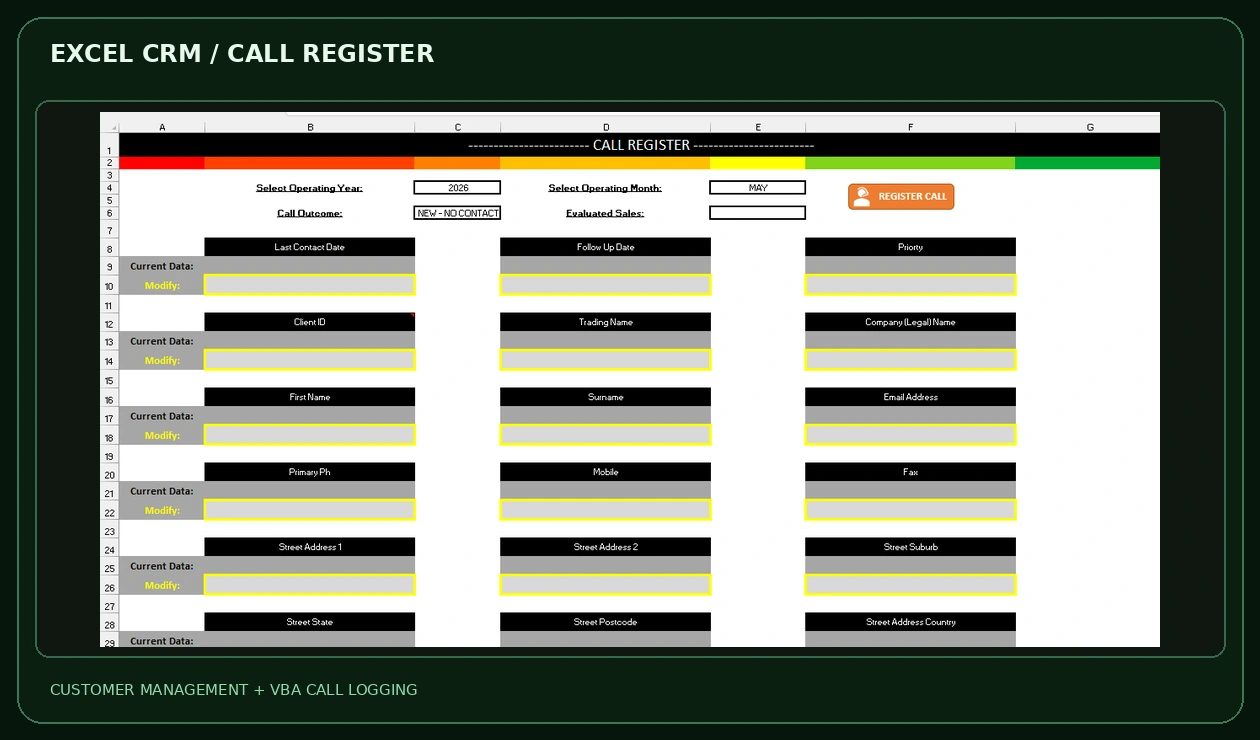
The CRM handles customer records and calls; the sales tracker organizes activity and outcomes; the campaign calculator turns goals and assumptions into target metrics.
Browse customer information, including contact fields, company details and sales-related records.
A VBA form records call outcomes and can update the corresponding client details and monthly activity records.
The annual sales sheet groups sales quantities, monetary values, calls and outcomes by month.
Goal assumptions feed activity projections and planning comparisons in the dedicated calculator.
This is a separate fictional demonstration table, using the actual category structure of the Excel sales tracker. It is not claimed to be an output of the original workbook formulas.
| Jul–Jun example | Jul | Aug | Sep | Oct | Nov | Dec | Jan | Feb | Mar | Apr | May | Jun |
|---|---|---|---|---|---|---|---|---|---|---|---|---|
| Sales completed | 5 | 6 | 4 | 5 | 6 | 5 | 6 | 5 | 5 | 5 | 4 | 4 |
| Sales value | $2,500 | $3,000 | $2,000 | $2,500 | $3,000 | $2,500 | $3,000 | $2,500 | $2,500 | $2,500 | $2,000 | $2,000 |
| Calls placed | 72 | 80 | 76 | 83 | 88 | 81 | 91 | 89 | 94 | 88 | 80 | 78 |
Example assumptions: 400 unique prospects, 1,000 calls and 60 sales at $500 each. Average per sale = $500; calls per prospect = 2.5; conversion rate = 60 / 400 = 15%. Monthly figures sum exactly to the displayed totals. No customer sales figures are being disclosed.
The screenshots retain the original field layout and format. This is the original blank Call Register screen, presented without alterations or real customer details.
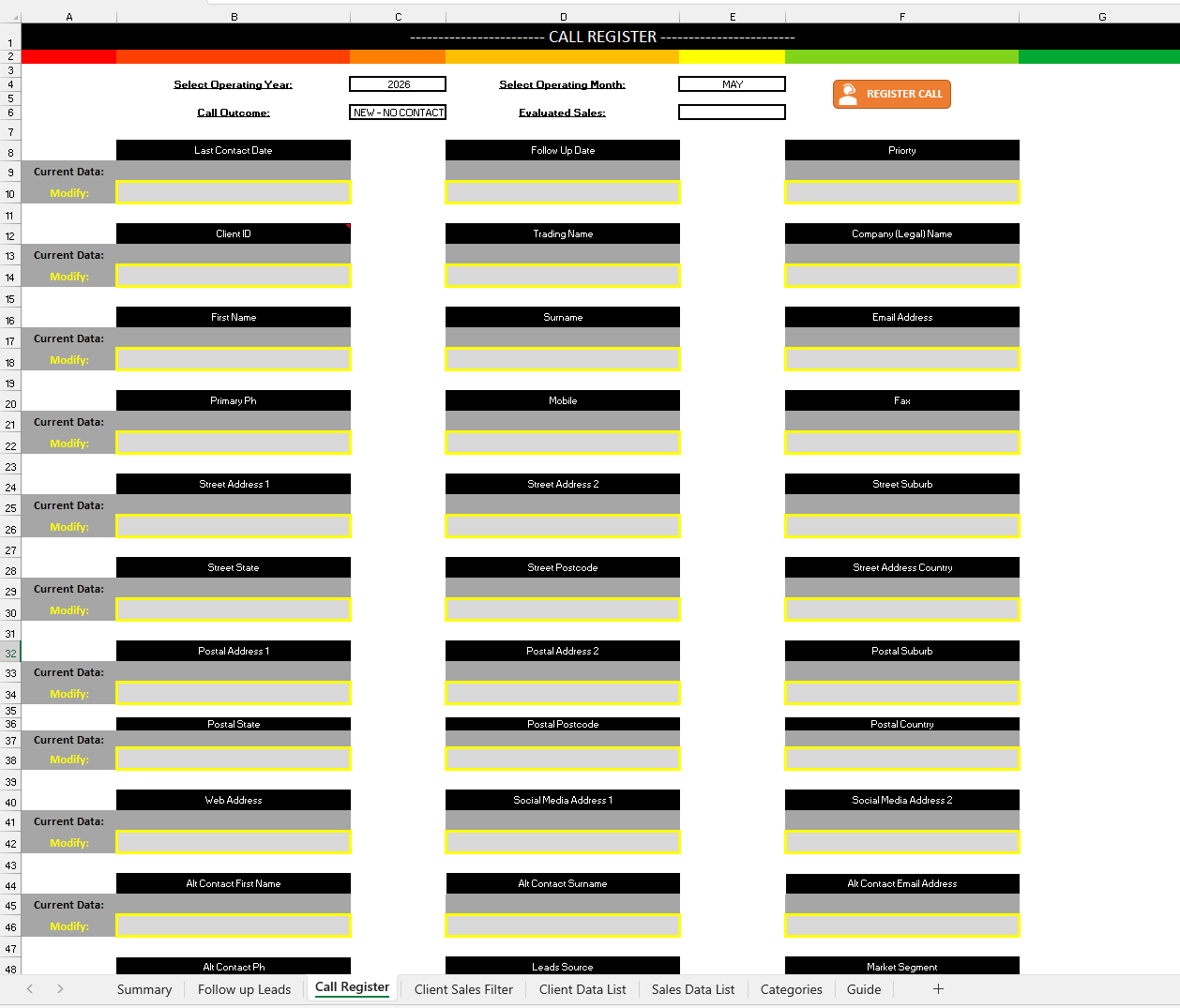
The original VBA entry screen is shown as a clean source screenshot. The blank value fields keep the real layout visible while avoiding exposure of live customer details.
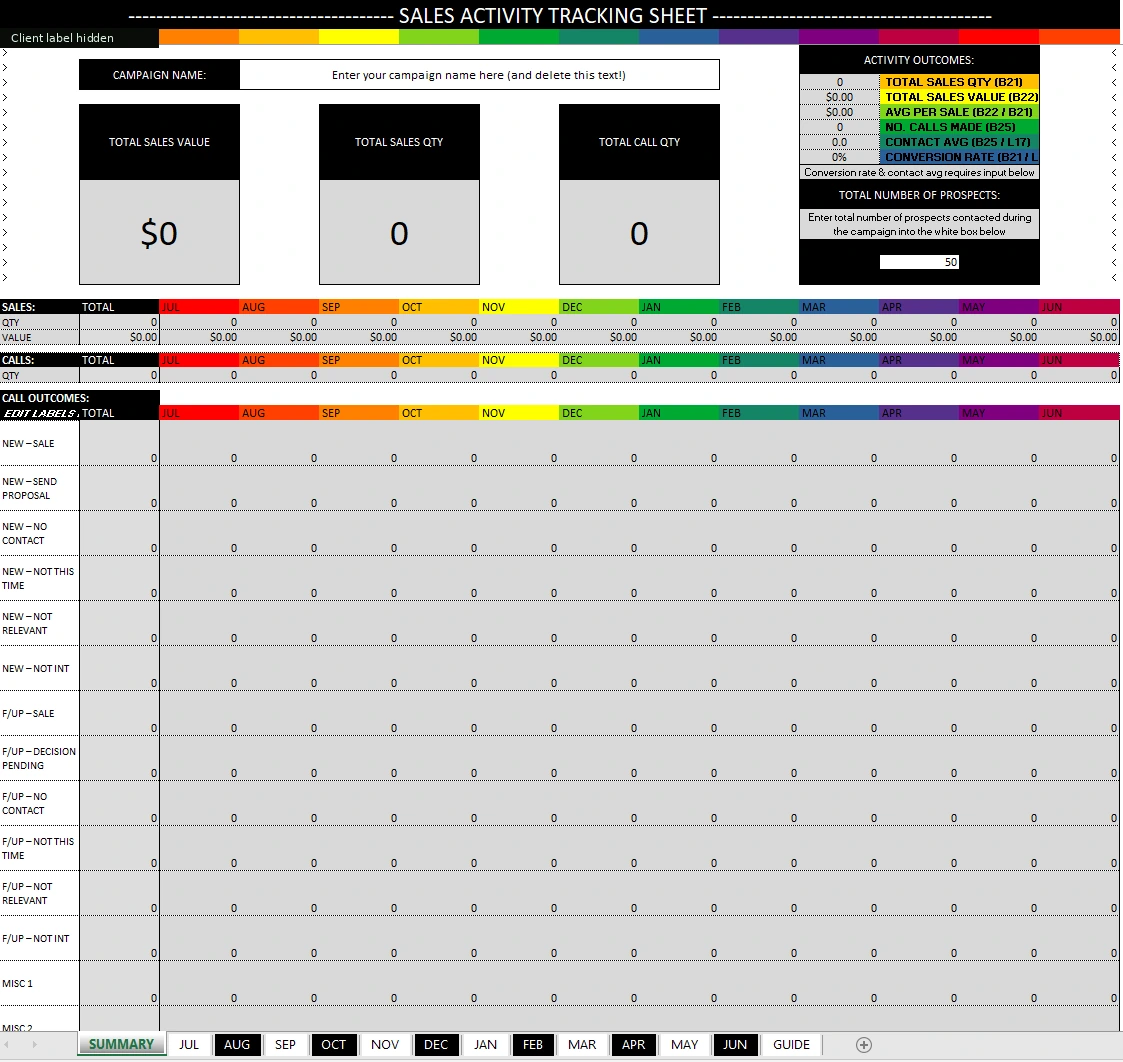
The actual original workbook layout showing month-by-month sales and outcomes. The screenshot is the unpopulated template, not the populated demonstration table above.
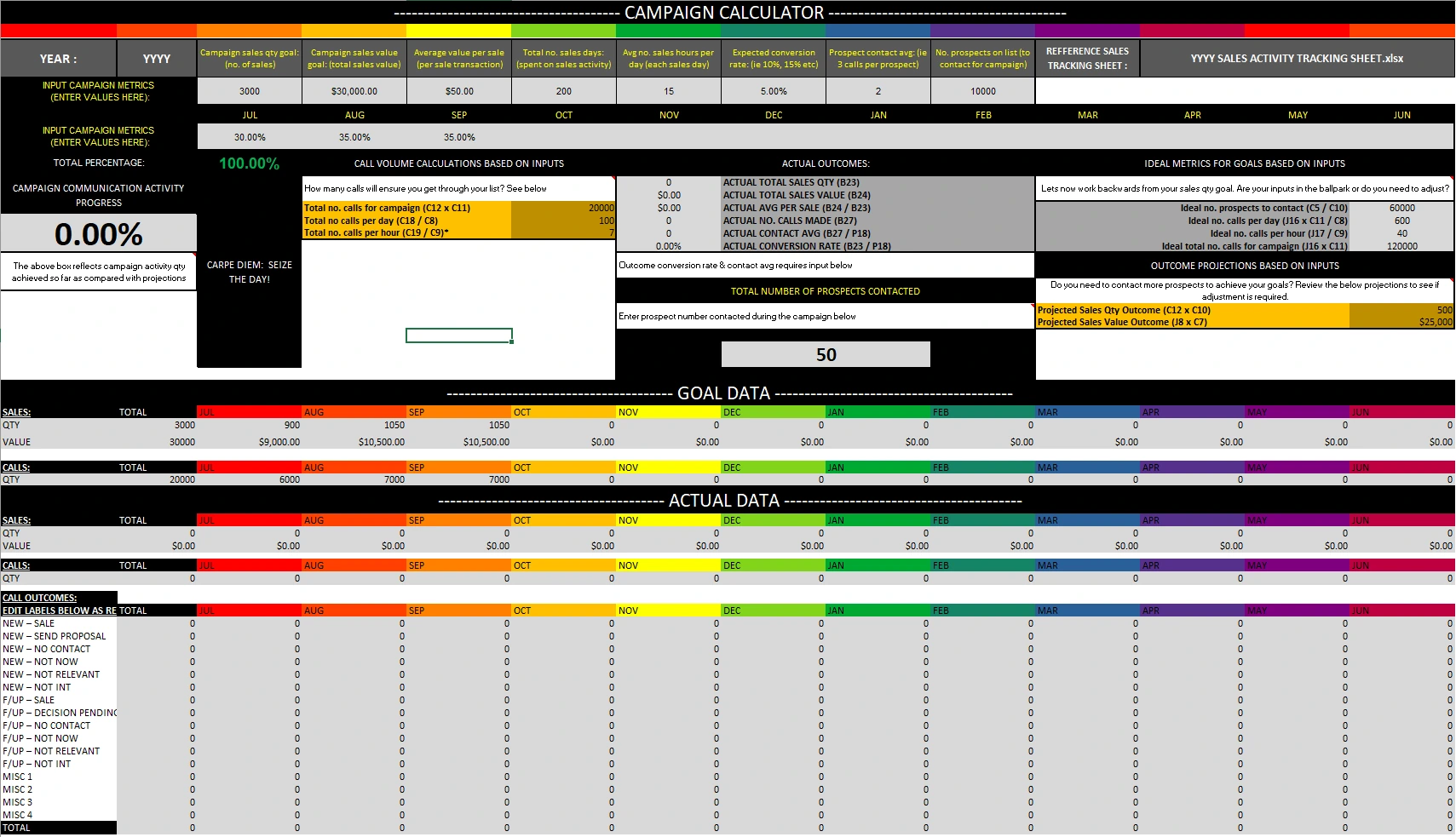
The actual planning workbook: goal inputs, assumptions and projected campaign activity. Existing zero outcome fields are preserved because this source screenshot was not a completed campaign report.
The CRM workbook contains code for registering calls into the sales tracking file and updating customer records from the call-register interface. The campaign and tracker use Excel calculations and formatted entry sections, not a web-based backend.
CRM code includes save/update routines for customer information and worksheet-based entry controls.
Sales results and call outcomes can be recorded through the workbook workflow, with designated follow-up fields.
Campaign planning calculations sit alongside actual monthly results and call-outcome categories.
The project comprises three separately uploaded Excel files. VBA features were checked from static code inspection, not live execution. The CRM image is the original blank Call Register screenshot; no client contact details are displayed. The annual sample table uses expressly invented, arithmetic-checked figures and is not a screenshot of Excel formula results. Third-party branding was anonymized where visible.
Share the current workflow, expected outputs and what takes the most time. I’ll help scope an Excel-first solution.
Start a project inquiry ↗