
Choose a machine and job
Select a customer, part, processing step, machine, quantity and desired starting time.
A macro-driven Excel production system that schedules jobs by machine and hour. The VBA contains logic to insert a task into an already occupied machine, shift following jobs and update the underlying TASKS records—not simply recolor a timetable.
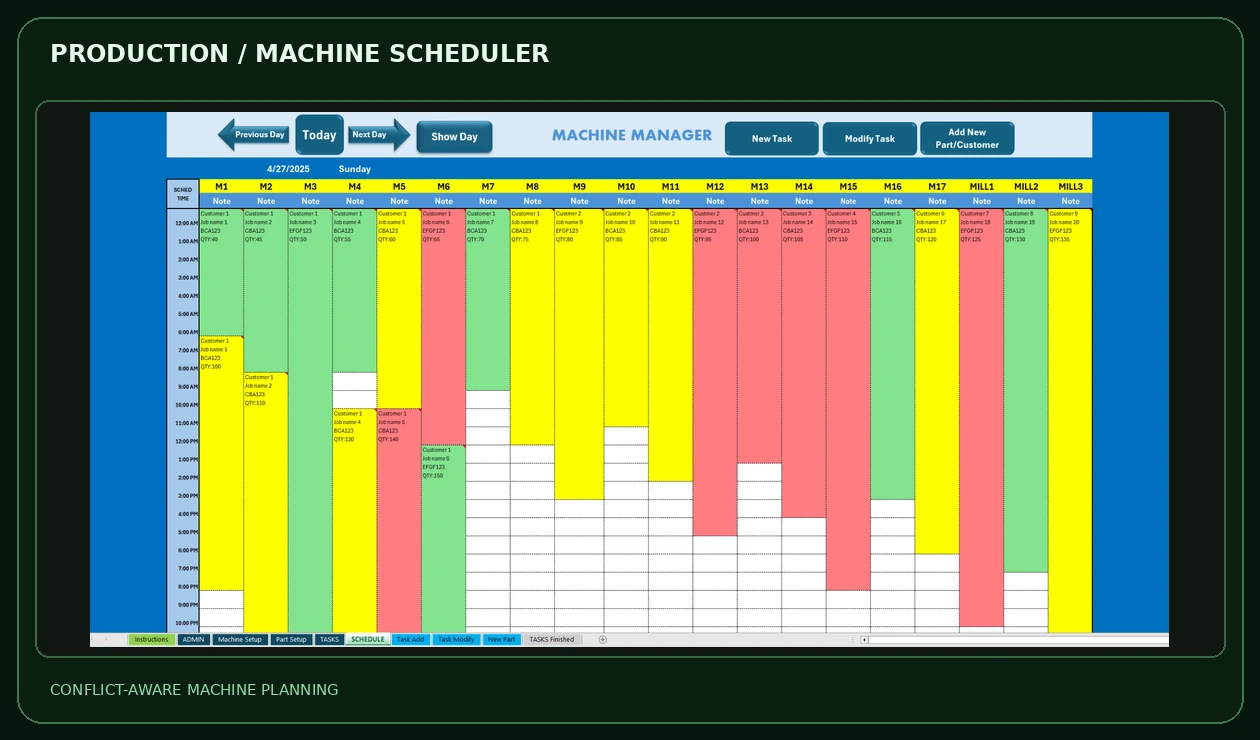
A new order can affect every job queued behind it. Instead of manually editing dozens of dates, the workbook includes VBA routines designed to manage those related changes.
Select a customer, part, processing step, machine, quantity and desired starting time.
The add / modify routines inspect jobs already assigned to the selected machine and handle insertion paths.
For affected jobs, VBA calculates revised start and finish times and updates records in the TASKS table.
A separate macro renders the machine-by-hour schedule, colored priority blocks and job details.
These are the uploaded workbook screenshots, not browser simulations. The top-level machine board already contains example jobs; the forms show how those jobs can be registered or modified.
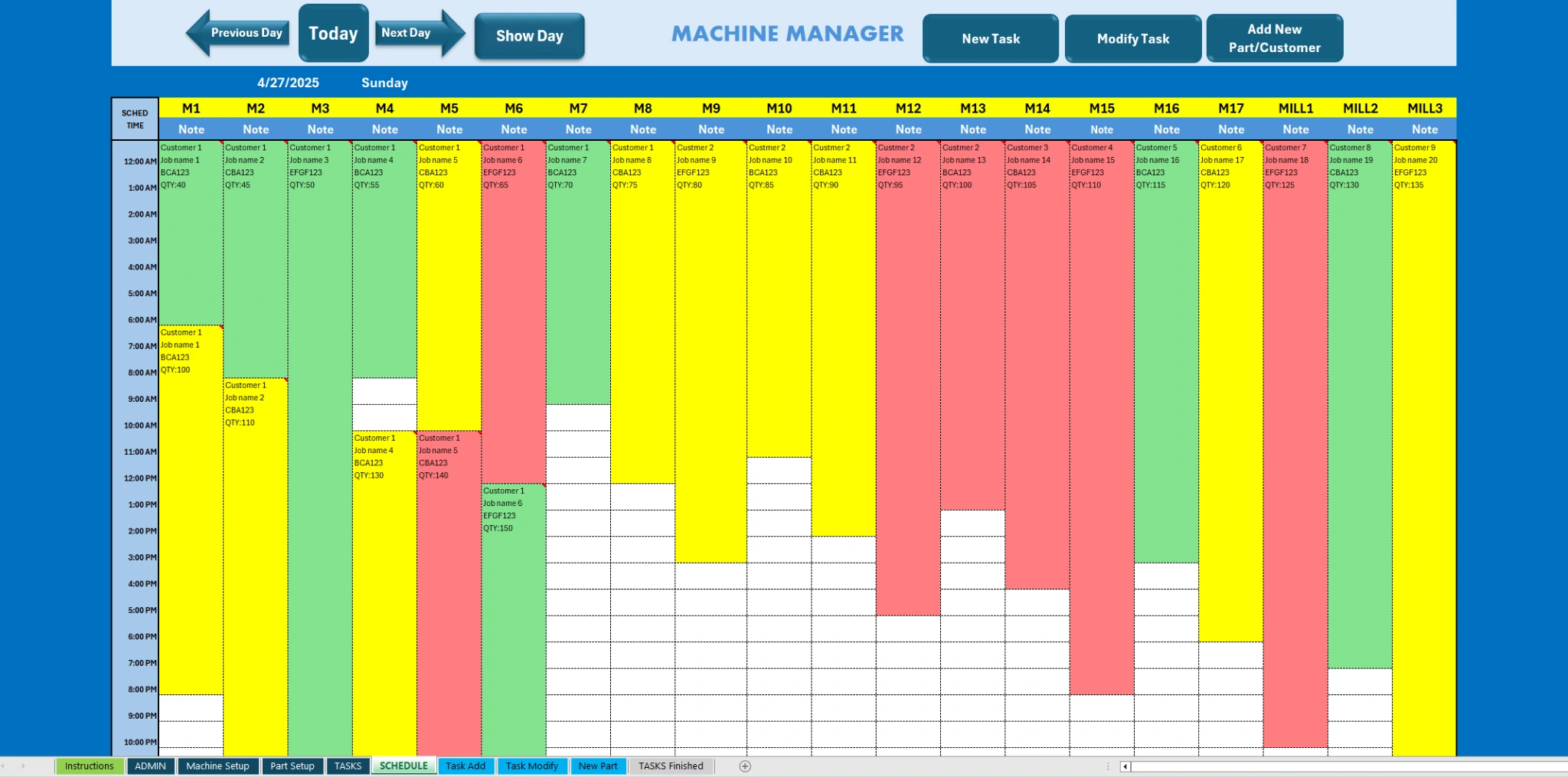
Machines appear as columns and scheduled hours as rows. Green, yellow and red work blocks make job allocations visible at a glance.
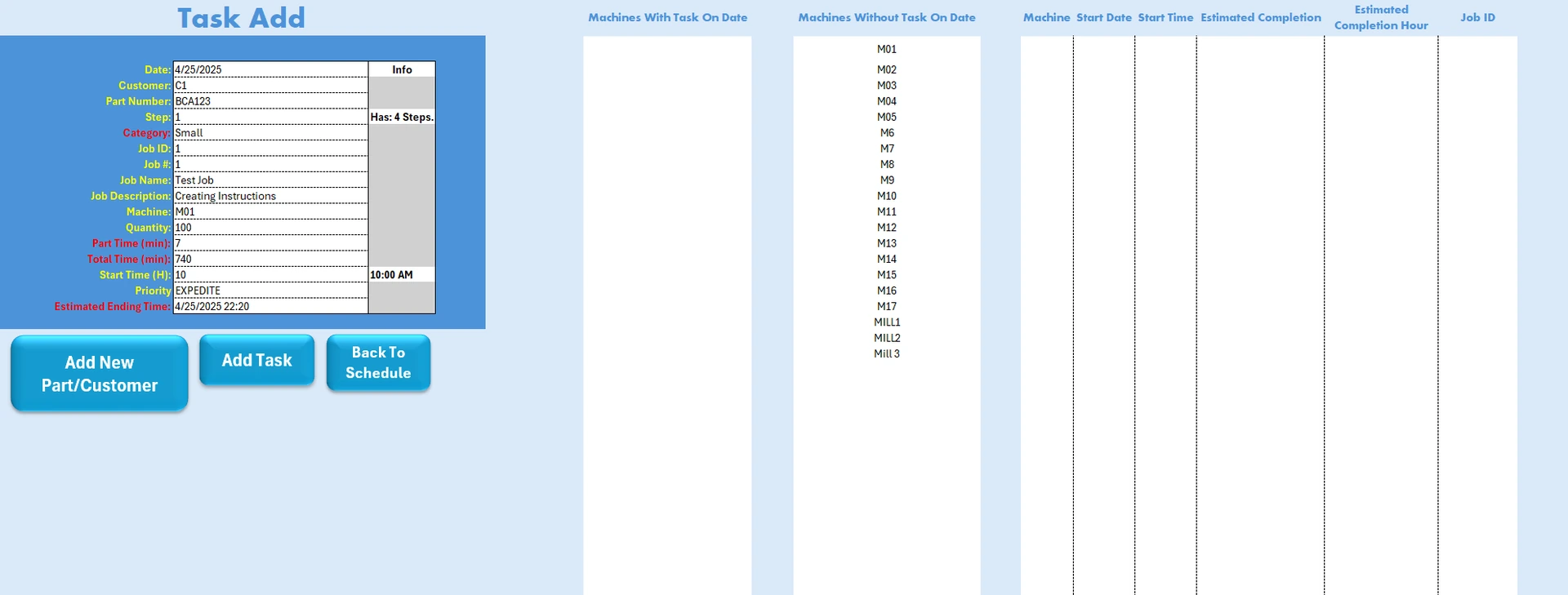
Register customer, part, step, quantity, start, priority and machine. VBA handles database insertion and scheduling calculations.
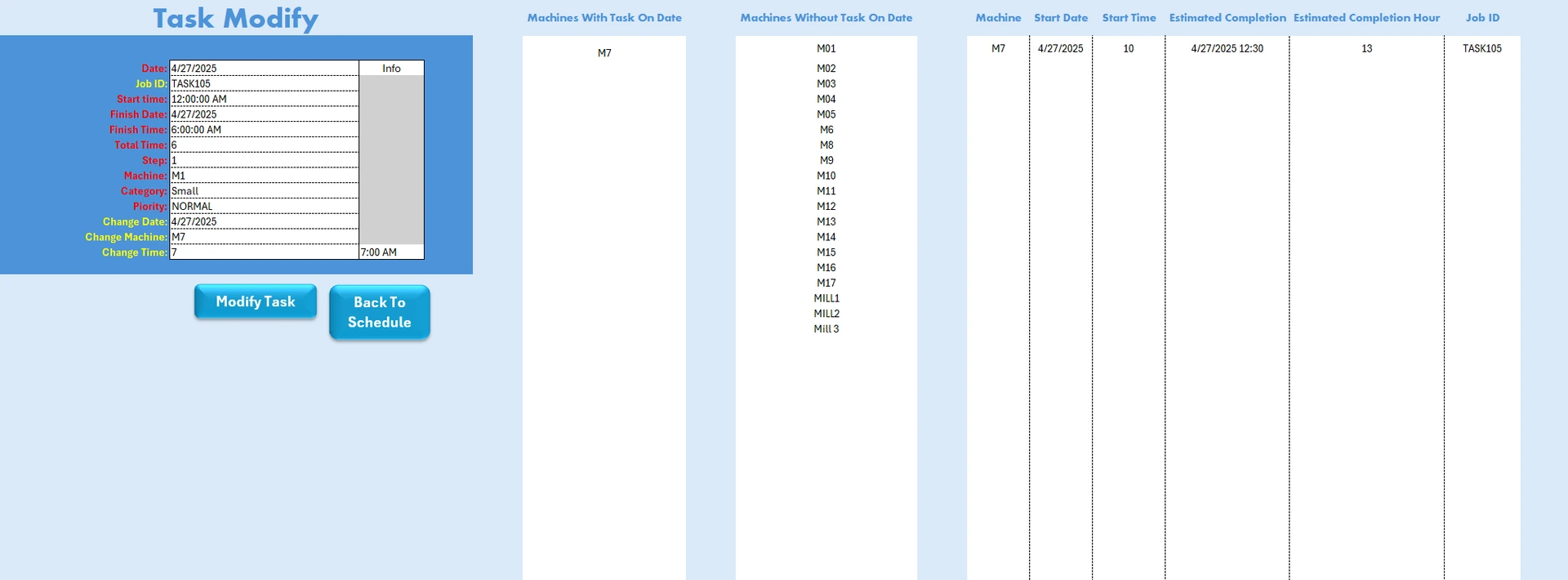
Change a job assignment or timing from the dedicated form. The workbook includes code to adjust impacted schedules.
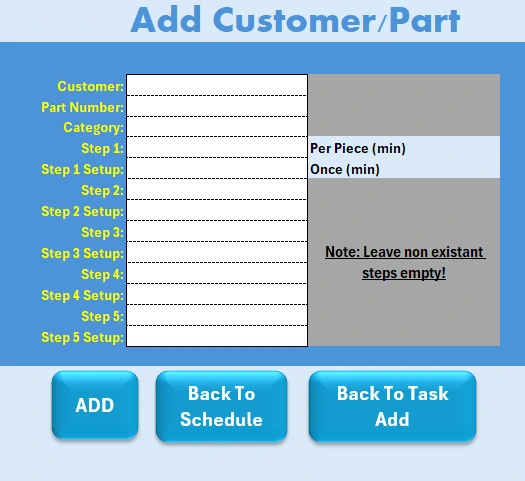
Define part processing steps and setup times for reuse by the machine scheduling system. This original screenshot shows an empty input form.
The workbook combines a machine database, configurable part steps, task entry, priority settings, scheduling calculations, date navigation and completed-task history.
The TASKS table contains job IDs, customer, part, quantities, work steps, assigned machine and date/time fields.
Dedicated forms for adding, modifying and archiving tasks reduce manual edits to the underlying database.
Visual blocks make machine workload, priorities and available hours easier to review.
These capabilities were checked in the supplied macro source. The VBA was not executed in Excel during this website build, and some scheduling edge cases (including rollover and overlapping time ranges) still require operational testing. The screenshots contain example production jobs.
Share the current workflow, expected outputs and what takes the most time. I’ll help scope an Excel-first solution.
Start a project inquiry ↗